ASUB 1.5.7: cylinder receiving and returnable container tracking
Template-based receiving, recognition of returning cylinders, customer container balances and turnaround analytics in ASUB 1.5.7.

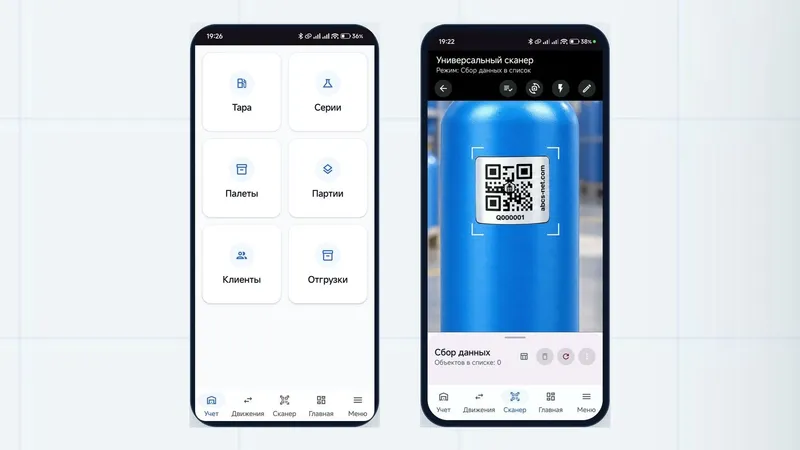
ASUB 1.5.7, released on 21 October 2026, expands support for returnable containers. The main addition is a dedicated Receiving section for booking cylinders into a warehouse, recognising containers already registered in the system and preserving each cylinder’s history.
Receiving: from delivery note to warehouse stock
A receiving document brings together the destination warehouse, delivery note number and accessories: transport rings, plugs, caps, boxes and cassettes. A new template directory stores standard cylinder parameters, including substance, volume, pressure and valve type. One document can contain several groups using different templates, with manual entry available for non-standard containers.
Receiving follows three steps:
- Select a warehouse and container templates, then enter delivery details and accessories.
- Enter cylinder numbers individually or as a list. Before saving, the system flags duplicate numbers, archived containers and conflicts with unfinished movements.
- Check the draft and complete receiving. Completion books the cylinders into warehouse stock and makes an acceptance certificate available to download.
If a number or tag already exists in ASUB, the cylinder appears under Returned containers with its existing record. Receiving an existing cylinder again does not create a duplicate cylinder record.
When receiving is completed, recorded defects create maintenance documents and residual gas can generate draining tasks. Maintenance documents start as work in progress; receiving alone does not mean an inspection or repair has been completed.
Returnable containers: customer balances and turnaround
Sales and returns are recorded as container movements. Completing a sale assigns the cylinders to the customer; completing a return brings them back into warehouse stock. Returning an empty cylinder clears its contents and removes it from its batch or series.
The update adds two dashboard widgets for this cycle. Customer container balances shows how many cylinders each customer holds, while Container turnaround shows how many days it takes a cylinder to return to circulation. These figures help track stock outside the warehouse and plan fleet replenishment.
Other changes in 1.5.7
- Series and laboratory testing. Control cylinders are fixed when the filling statement is first printed or a sample is taken. The statement and laboratory use the same selection. After the laboratory conclusion, sample cylinders leave the series and return to circulation empty.
- Backups and updates. Full archives include the database, photographs and attachments. Updates can be scheduled outside working hours, with results available in the history.
- In-app guidance. The How to work button opens a step-by-step tour tailored to the employee’s permissions, with a link to the full instructions.
- Everyday accounting. Container photographs appear in lists and inside series, batches and pallets. Tasks open over the current screen without resetting filters.
Create a backup before installing the update. An administrator must grant employees access to the new Receiving and Container templates sections: the update preserves existing role settings.